




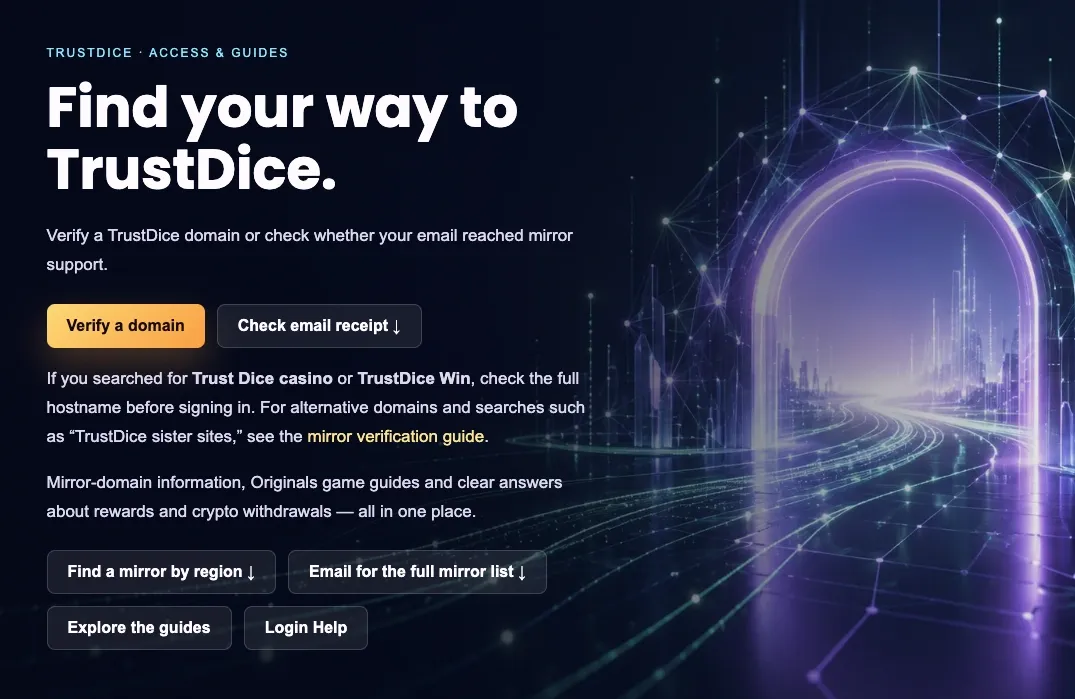
Looking for the correct TrustDice mirror domain? Unsure whether a TrustDice login URL is genuine? Need help accessing your account or checking a suspicious website?
TrustDice.site provides a dedicated information hub where users can check TrustDice mirror domains, find official verification resources and access practical guides about the TrustDice platform.
Whether you are checking a new website address, experiencing login issues or looking for information about bonuses, withdrawals and account security, TrustDice.site gives you a convenient place to start.
How to Verify a TrustDice Mirror Domain in 3 Simple Steps
Before entering your account credentials on an unfamiliar TrustDice website, follow these three steps.
Step 1: Access TrustDice Mirror Site Information
There are two ways to find and verify official TrustDice mirror domains.
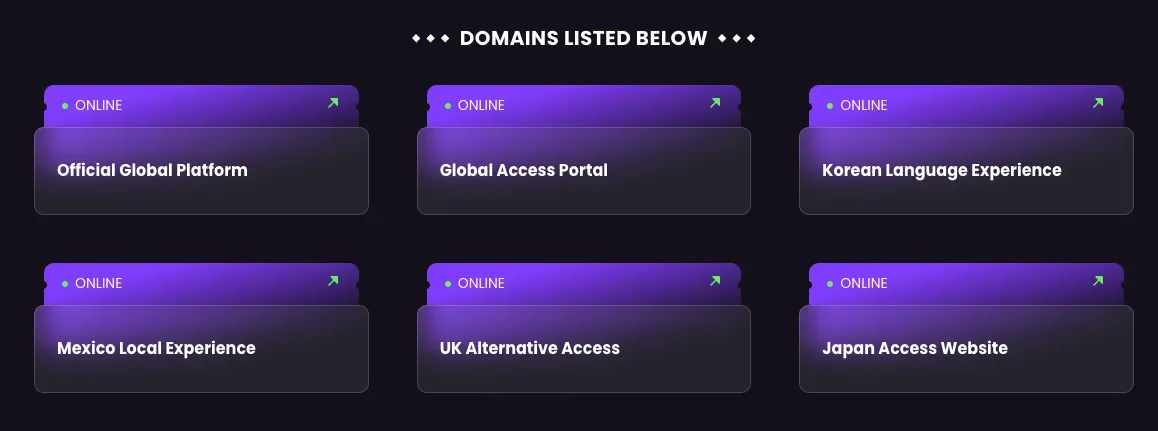
Option 1: Visit the Official TrustDice Mirror Site Page
If you can access TrustDice.win, you can also visit the official TrustDice Mirror Site page directly to view the list of official TrustDice mirror domains.
Both resources help you identify legitimate TrustDice website addresses and avoid potentially fraudulent websites.
You do not need to register, log in or make a deposit to access these informational resources.
Always confirm that the website address matches an official TrustDice domain before entering your account credentials.

Option 2: Visit the TrustDice Sister Site
Visit TrustDice.site, the dedicated TrustDice sister site and mirror site guide website.
The homepage provides TrustDice mirror domain information, website access guidance, domain verification resources and information for confirming official TrustDice email communications.
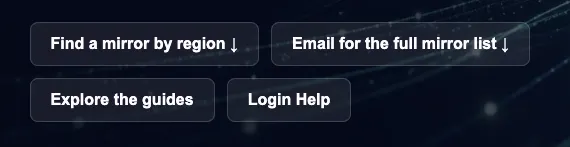
Step 2 — Choose the Right TrustDice Mirror Site Resource
On the TrustDice.site homepage, use the four shortcuts to find a mirror for your region, request the full list by email, browse the guides, or troubleshoot a login issue.
1. Find a mirror by region
Use this shortcut if you can’t open the official mirror directory. It takes you to the regional options on the same page. Choose Japan for trustdice80.win, South Korea or Argentina for trustdice-kr.win, or Other regions for trustdice.co. Account eligibility and regional restrictions still apply. Find a mirror by region
2. Email for the full mirror list
Click this button to open the email tools. Select Open email draft to start a request addressed to [email protected] with a receipt reference in the subject. Add your country or region and send it. If you use webmail, you can also copy the reference into the subject of a message you write yourself.
After sending, return to Check email receipt and enter the same reference. The result shows whether TrustDice received your message. The mirror list itself is requested by email. Email for the full mirror list
3. Explore the guides
This button scrolls to the homepage guide directory. Pick the topic you need. Explore the guides
- Bonus rules, wagering requirements and expiry. TrustDice Bonus
- Free crypto rewards and how to claim them. TrustDice Faucet
- Withdrawal status, delays and transaction IDs. TrustDice Withdrawal Help
- Dice, Crash, Plinko and third-party slots. TrustDice Games
- Sports betting odds, markets and settlement rules. TrustDice Sportsbook
4. Login Help
Use this shortcut if you’re having trouble signing in, using two-factor authentication, or recovering access to your account. The page also includes a domain lookup. If you already have a link and want to check it, use Verify a domain at the top of the homepage and paste the full hostname before entering your credentials. Login Help · Verify a domain
Step 3: Confirm the TrustDice Login URL
Once you have confirmed that the domain is an official TrustDice mirror, you can proceed to the verified website, subject to local availability and account eligibility requirements.
If the domain cannot be confirmed, do not enter your password, two-factor authentication code or payment information.
Contact official TrustDice customer support to verify the website before proceeding.
Always verify the domain before logging in.
What Is TrustDice.site?
TrustDice.site is a dedicated TrustDice information and verification hub designed to help users verify official TrustDice mirror domains, confirm legitimate login URLs, understand platform features and resolve common account-related questions.
As a TrustDice sister site, TrustDice.site serves as a complementary resource to TrustDice.win, bringing together mirror domain information, account security guidance, login assistance, bonus rules, faucet rewards, withdrawal FAQs and verification tools in one convenient place.
Rather than searching through multiple websites or relying on potentially unreliable links shared through social media, search engines or online communities, users can visit TrustDice.site directly to find relevant information and guidance.
Whether you are looking for an official TrustDice mirror domain, checking the authenticity of a website or seeking help with your existing account, TrustDice.site provides a convenient starting point for a safer and more informed TrustDice experience.
No additional registration, login credentials or deposits are required to access these informational resources.
|
Resource |
What You Can Find |
|---|---|
|
TrustDice Homepage |
Brand information, mirror domains and official communication guidance |
|
Mirror Verification |
Domain verification and official mirror information |
|
Login Help |
Login URLs, 2FA and account troubleshooting |
|
Bonus Guide |
Wagering requirements, bonus expiry and withdrawal conditions |
|
Faucet Guide |
Free crypto rewards and claiming rules |
|
Withdrawal Help |
Withdrawal processing, transaction status and TXID guidance |
|
Games Directory |
TrustDice Originals, Dice, Crash, Plinko and slots |
|
Sportsbook Guide |
Sports betting rules, odds and event information |
|
Verification Tools |
Domain, Bitcoin transaction and Dice verification resources |
|
Japanese Mirror Guide |
Japanese-language mirror and login URL guidance |
|
Korean Mirror Guide |
Korean-language mirror and login URL guidance |
TrustDice Mirror Domains and Official Website Verification
If you can’t open TrustDice’s official mirror directory, or if someone sends you a TrustDice login link you don’t recognize, start with the full hostname. TrustDice.site lets you look it up, find an address by region, or email TrustDice for confirmation. TrustDice Mirror Verification Guide
Check the hostname before signing in
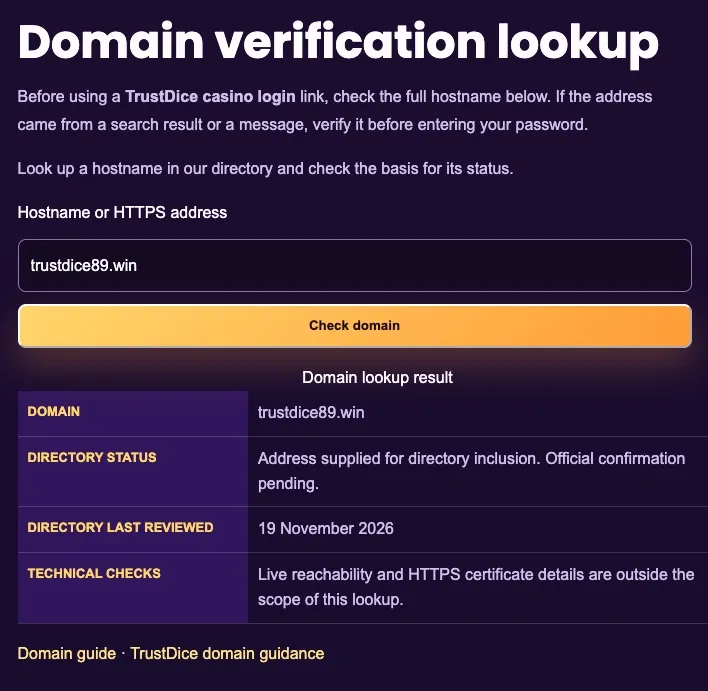
Paste the full HTTPS address or hostname into Domain verification lookup. The tool checks whether it appears in the directory and shows the basis for its result. If the address is unfamiliar or missing from the directory, ask TrustDice to confirm it before entering your credentials. Verify a domain
Find a regional mirror or request the full list
If the official directory won’t load, the homepage lists trustdice80.win for Japan, trustdice-kr.win for South Korea and Argentina, and trustdice.co under Other regions. Account eligibility and regional restrictions still apply. Find a mirror by region
To request the full official list or ask about a specific hostname, email [email protected]. The homepage email tool can prepare a draft with a receipt reference in the subject. After sending, enter that same reference under Check email receipt to see whether TrustDice received your message. Email for the full mirror list · Check email receipt
Verify any mirror link you receive by email
Expand the sender details and check the full From and Reply-To addresses. For official TrustDice correspondence, look for the exact domain trustdice.win. A matching sender address can still be spoofed, so check the link separately. Copy the address without opening it and compare the full hostname with the published directory or paste it into the domain lookup. If anything looks suspicious, start a new message to [email protected] using the address listed on the official mirror page. Official TrustDice mirror directory · Mirror verification guide
A receipt confirms delivery of your request. Verify the sender and the mirror hostname separately before using any link in a reply.
TrustDice Withdrawal Help and Transaction Verification
If a TrustDice withdrawal is delayed, start with Where is my withdrawal stuck? Choose the status that matches what you see, such as processing with no payment reference, unconfirmed on-chain, confirmed but missing from your wallet, or sent to a fiat payment provider. The guide gives you a next step for each situation. TrustDice Withdrawal Help Center
- Still processing with no TXID. Check the withdrawal status in your TrustDice account. If you contact support, have your withdrawal reference ready.
- Bitcoin withdrawal with a TXID. Paste the transaction ID into the Bitcoin withdrawal transaction checker to see whether it appears on the Bitcoin blockchain and whether it has confirmations.
- USDT withdrawal with a TXID. Select the network shown on your withdrawal receipt, then use the lookup for that network. The page covers TRON (TRC-20), Ethereum (ERC-20), BNB Smart Chain (BEP-20), and Solana (SPL).
- Confirmed on-chain but missing from your balance. Check the destination address and network against your withdrawal receipt. If the details match, give the receiving wallet or exchange the TXID so it can investigate the credit.
- Fiat withdrawal marked sent. Ask for the payment reference and check whether the payout is with the payment provider or receiving bank. The guide explains how provider reviews, banking cutoffs and settlement can extend the wait.
A crypto withdrawal can spend time in three places before you see the funds: TrustDice processing, blockchain confirmation, and crediting by the receiving wallet or exchange. The TXID helps you check the blockchain stage independently.
TrustDice Verification Tools
The TrustDice Tools page brings together shortcuts for checking login domains, troubleshooting account access, looking up Bitcoin transactions, and checking a Dice server-seed commitment. It also links to browser and connection checks, a 2FA clock check, and a support report generator. TrustDice Tools
Domain verification
Paste the full hostname or HTTPS address into Domain verification lookup to check it against the directory. If a link is unfamiliar or the lookup leaves you unsure, use the mirror guide to contact TrustDice before entering your credentials. Domain verification lookup · Mirror verification guide
Bitcoin transaction verification
Have a Bitcoin TXID ready? Open Bitcoin transaction lookup to check whether the transaction appears on-chain and whether it has confirmations. For USDT, use the network-specific lookup in the Withdrawal Help Center. TrustDice Tools · Withdrawal Help Center
Dice server-seed verification
Open the Server Seed Commitment Checker in the Game Lab. Enter the revealed server seed and the published SHA-256 hash, then select Compare commitment. A match shows that the revealed seed matches the published commitment. Reproducing a specific Dice roll also requires the client seed, nonce, and the published outcome algorithm. TrustDice Game Lab
TrustDice Mirror Verification for Japanese Users
Japanese-speaking users can refer to dedicated TrustDice mirror information in Japanese.
The Japanese mirror guide focuses on:
- トラストダイス公式サイトの確認
- トラストダイスのミラーサイト
- ログインURL確認
- アカウントの安全性
- 公式サポートへの問い合わせ
トラストダイスのミラーサイトを利用する前に、公式サイトの情報と照合し、正しいログインURLであることを確認してください。
TrustDice Mirror Verification for Korean Users
Korean-speaking users can also access dedicated Korean-language mirror information and account access guidance.
The Korean mirror guide covers:
- 트러스트다이스 공식 사이트 확인
- 트러스트다이스 한국 미러 사이트
- 로그인 주소 확인
- 계정 보안 및 로그인 문제
- 공식 고객지원 확인
트러스트다이스 미러 사이트를 이용하기 전에 공식 정보를 통해 로그인 주소가 올바른지 확인하세요.
How to Identify a Fake TrustDice Website
Fraudulent websites may attempt to impersonate TrustDice by copying its branding, website design and login interface. Use the following security checklist to identify potentially fake TrustDice websites and protect your account.
|
Warning Sign |
Why It Is Suspicious |
What You Should Do |
|---|---|---|
|
Unfamiliar or misspelled domain |
Fake websites often use similar domain names to impersonate TrustDice. |
Check the domain on TrustDice.site. |
|
Domain not listed in official mirror information |
The website may not be associated with TrustDice. |
Request the official mirror list or contact customer support. |
|
Requests your wallet recovery phrase or private key |
These credentials could give someone control of your cryptocurrency wallet. |
Never share your recovery phrase or private key. |
|
Asks you to share your 2FA code |
Someone may be attempting to gain unauthorized access to your account. |
Never share authentication codes with another person. |
|
Requires additional payment to unlock your balance |
This may be an attempt to obtain additional funds through fraud. |
Stop the transaction and contact official support. |
|
Redirects to an unfamiliar domain during login |
You may be redirected to a phishing website designed to steal your credentials. |
Close the page and verify the destination domain. |
|
Copies TrustDice branding and website design |
Logos and website interfaces can easily be replicated. |
Verify the domain rather than relying on its appearance. |
|
Appears in Google search results or uses HTTPS |
Search rankings and HTTPS certificates do not guarantee website authenticity. |
Always cross-check the URL with official TrustDice mirror information. |
Where Can You Verify a TrustDice Website?
Before signing in through an unfamiliar link, check the full hostname in your browser’s address bar. Use these two resources to check the address.
- Look up the hostname. Paste the full URL into the domain lookup to see whether the hostname appears in the directory. If you’re still unsure, the guide shows how to ask TrustDice to confirm it by email. TrustDice.site Mirror Verification Guide
- Check TrustDice’s published list. Compare the full hostname with the addresses published by TrustDice. Official TrustDice Mirror Domain List
Keep your password and funds off unfamiliar sites until you’ve verified the address. Never share a one-time authentication code with anyone.
Verify the domain first. Log in second.
Frequently Asked Questions
What can I do on TrustDice.site?
You can check a mirror hostname, find regional access options, request the official mirror list by email, troubleshoot a login issue, or work out where a withdrawal is delayed. The homepage also links to guides on bonuses, faucet claims, casino games, and sports betting. Explore the guides
How do I check a TrustDice link before signing in?
Copy the full URL without opening it and paste it into Domain verification lookup. The tool checks the hostname against its directory. Pay attention to the entire hostname, including its ending. If the lookup leaves you unsure, ask TrustDice to confirm the address before entering your credentials. Verify a domain
What if I can’t open the official mirror directory?
Use Find a mirror by region on the homepage. It lists trustdice80.win for Japan, trustdice-kr.win for South Korea and Argentina, and trustdice.co under Other regions. If those options are unavailable or you want the full official list, use the email request tool. Regional restrictions and account eligibility still apply. Regional mirror options · Email for the full mirror list
How can I tell whether TrustDice received my mirror request?
Open Email for the full mirror list and use Open email draft, or copy the reference into the subject of an email you write yourself to [email protected]. After sending, paste the same reference into Check email receipt. New mail can take about a minute to appear after delivery. If a reply contains a mirror link, check its sender and full hostname separately before opening it. Check email receipt
Do I need an account to use the guides and tools?
You can use the public guides, domain lookup, and transaction tools without signing in. Keep your password, two-factor authentication codes, and recovery details private. For help with a login error, a lost 2FA device, or an account lock, start with the troubleshooting options on the Login Help page. Login Help
Can I check a Bitcoin or USDT withdrawal?
Yes. For Bitcoin, paste the TXID into the Bitcoin withdrawal transaction checker. For USDT, select the exact network shown on your withdrawal receipt. The page covers TRON, Ethereum, BNB Smart Chain, and Solana. If you haven’t received a TXID yet, start with Where is my withdrawal stuck? for the next step. Withdrawal Help Center
Is the mirror guide available in Japanese and Korean?
Yes. Both guides explain how to find and check TrustDice login addresses in the reader’s language. 日本語のミラーサイト案内 · 한국어 미러 사이트 안내
Bookmark TrustDice.site for Future Reference
Keep the homepage handy so you can return directly to the domain lookup, email receipt checker, or withdrawal tools when you need them. If an unfamiliar login link arrives by email or appears in search results, use your bookmark to check the address first. TrustDice.site
Visit TrustDice.site to explore TrustDice mirror information, account help and verification guides.
Verify the domain. Protect your account. Stay informed.